
Save YouTube Content in High Quality and Build Your Own Offline Library!
Y2Mate makes it simple to download your favorite videos from YouTube in 720p or 1080p resolution. Whether you're at home or on the go, this tool ensures you enjoy high-quality shows offline anytime, anywhere.
A “Downloader”, not a “Recorder”
We "download" rather than "record" the video, which means we can analyze the source of the video being played on the web page and download it.
Discover Y2Mate's Multifaceted Features
Save High-Quality Videos Offline
Supported by advanced tech, Y2Mate provides a built-in browser, where you can search for videos or paste their URLs directly into the program. In this way, you can play the videos while downloading them, no need to open another browser.
Store Videos in MP4/MKV Formats
Additionally, Y2Mate is euipped with the ability to removes ads automatically. It ensues all your downloads are clean and free from interruptions. Say goodbye to annoying ads and hello to smooth playback.
Flexible Subtitle Options for Your Videos
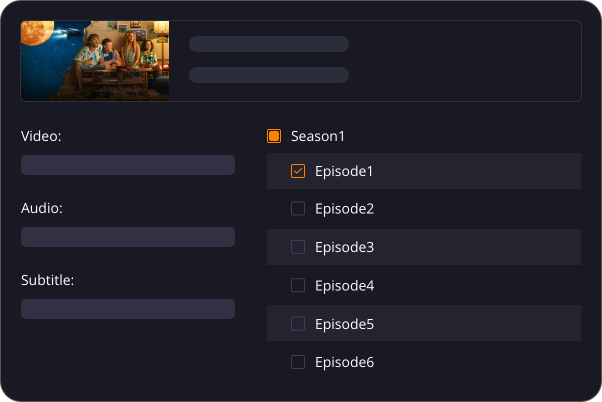
Batch Download Feature for Convenience
Windows 11/10 or above / macOS 12.0 or newer
Intel i3 or above / Core 2 Quad or above
4GB RAM
40GB of free hard disk space
Live internet connection
Please note: Use of Y2Mate is for personal use only and does not entitle you to share downloadable material with third parties. Please respect the copyrights of supported streaming providers.
The 30-day free trial of Y2Mate is limited to approximately 3 downloads per product.
In the paid version of Y2Mate, each product is limited to approximately 100 downloads per day to avoid being blocked.
3 Steps to Use Y2Mate!
Visit YouTube from Y2Mate.
Choose YouTube from “VIP Services” on the left side bar.
Play the Video You Want to Download.
Customize Output Settings and Click “Download Now”.

Get YouTube Movies Downloader Now!
YouTube Movies Downloader
(Monthly Plan)
US$ 19.90
Can be used on 1 PC
Cancel Anytime
7-Day Money-Back Guarantee
YouTube Movies Downloader
(Lifetime Plan)
US$ 119.90
US$149.90
Can be used on 1 PC
Lifetime Use
14-Day Money Back Guarantee
Y2Mate One
(Lifetime Plan)
US$ 299.90
US$428.50
All-In-One Product
Can be used on 1 PC
Lifetime Use
14-Day Money Back Guarantee
Answers to Common Queries
- Operating System: Windows 11/10 (32/64 bit), or macOS 12.0 or newer
- Processor: Intel i3 or above
- RAM: 4GB or above
- Free Hard Disk Space: 40GB or above
- Internet Connection: A live Internet connection is required for the downloader to function properly.
- 1. Check if the video is playable in your browser (Chrome or Microsoft Edge).
- 2. Verify if the specified output folder for downloaded files is full. If so, try another folder or free up space. You can access the default output location via Settings > General > Output Directory.
- 3. Wait for later update to add more supported sites.
- 4. If the problem persists, contact us Provide links to the problematic videos and share the latest Y2Mate.log file for troubleshooting, found in Settings > General > Log Directory.